JUCHEWARE
An external Counter-Strike 2 assistant. Precise aim, clean visuals, nothing injected into the game.
Juche · Self-reliance
An external Counter-Strike 2 assistant. Precise aim, clean visuals, nothing injected into the game.
Juche · Self-reliance
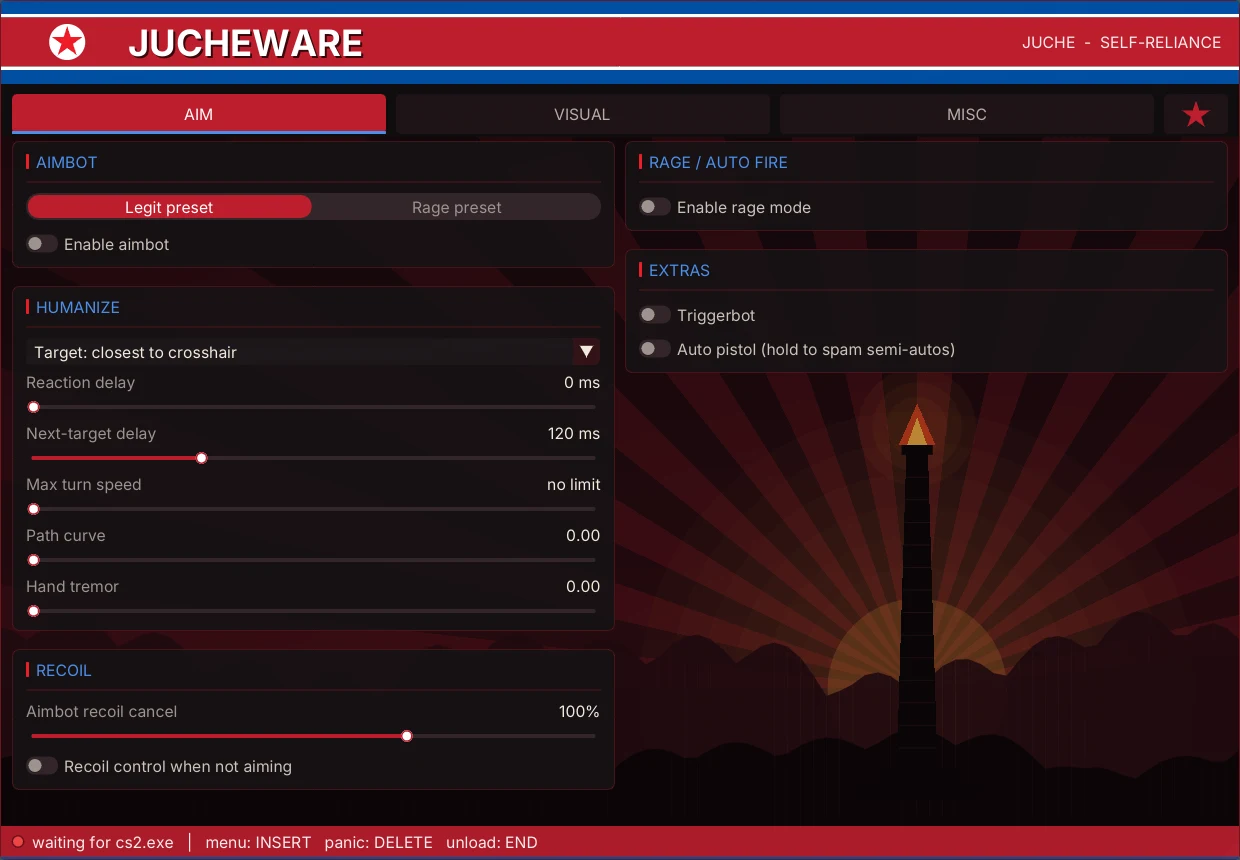
Aim, visuals and movement tools that work together, tuned over many iterations and built to be adjusted to how you play.
A humanised legit aim with smoothing, reaction delay, path curve and hand tremor, plus a rage mode with auto shoot, scope, stop and crouch.
Shoots through walls when the bullet would still do enough damage. It reads the map's own geometry and surface materials, and follows the game's penetration rules.
Boxes, health, names, weapons, skeletons and flags, with visible and hidden colours taken from the same line-of-sight check the aim uses. Solid chams with a soft glow outline.
An overlay radar, a bomb marker and a timer at the top of the screen with the 10 and 5 second defuse marks.
See where the grenade in your hand will land, including bounces off walls, before you throw it. Plus a lineup recorder for your own setups.
Bunny hop on its own fast thread that presses jump on the landing tick, with optional auto strafe. Anti flash and sound ESP too.
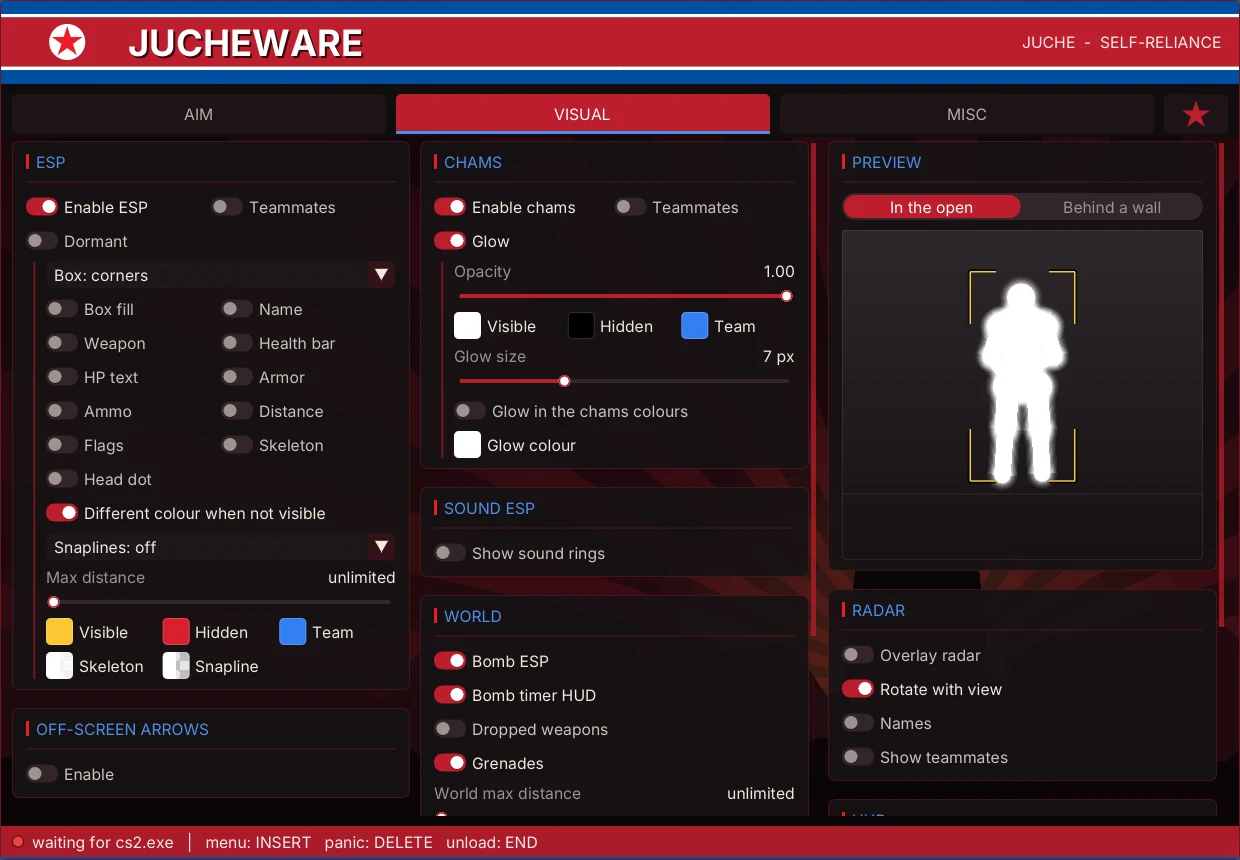
Toggle switches, cards, and settings that only show up when you turn their parent on. The Visual tab has a live preview of exactly what you have enabled.
Pick a preset or tune every part: field of view, smoothing, bone, humanisation, recoil and the rage options.
ESP, chams, radar, HUD and crosshair, with a live preview that updates as you change a setting.
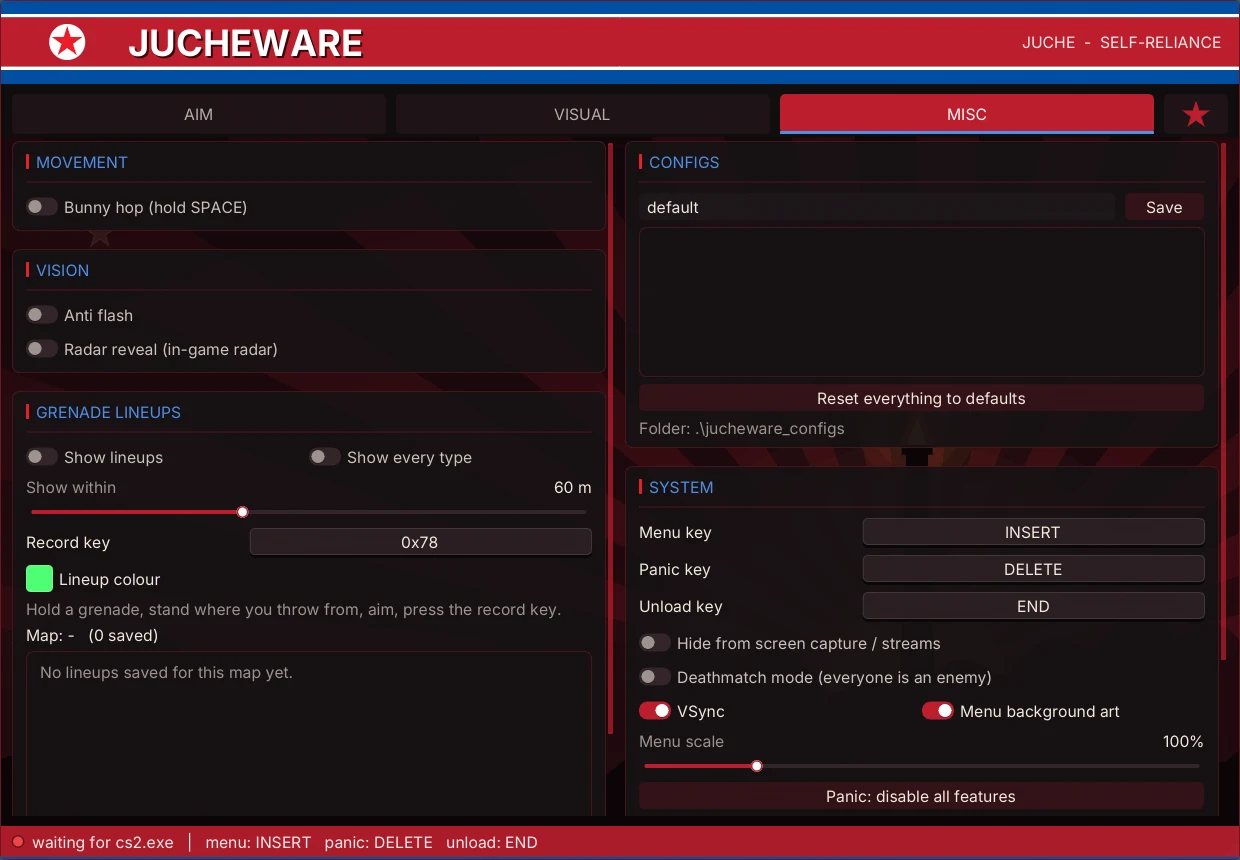
Movement, grenade lineups, config profiles you can save and load, and system settings with panic and unload keys.
Jucheware runs as its own program next to the game. It does not inject a DLL or hook anything inside Counter-Strike 2.
The match state it needs, read from the game's memory: players, positions, weapons and the bomb. Map collision data is read from your own game files.
A small number of values: view angles, the game's own key states, flash alpha and the radar spotted flag. Every write is undone when you hit panic or unload.
The menu and visuals are drawn on a transparent overlay window on top of the game, so run Counter-Strike 2 in windowed or borderless windowed mode.
Game offsets update automatically after a patch, so a game update does not mean waiting for a new build.
Using any third-party software with Counter-Strike 2 can break its rules and can lead to a ban. Jucheware does not inject anything, which lowers the footprint, but no tool can promise it will never be detected. Use it at your own risk.
Windows, and Counter-Strike 2 in windowed or borderless windowed mode. Start the game, then start Jucheware. Press Insert to open the menu.
Offsets update automatically. If an update changes something deeper, a fix comes as a new build.
Yes. The panic key switches every feature off and undoes what was written to the game. The unload key closes it completely.
Yes. You can save and load as many config profiles as you like from the Misc tab.
Email [email protected] with what happened and, if you can, the jucheware.log file next to the program. It records what the program saw.
Email us for support, or if you run into a bug. Including your jucheware.log helps a lot.