
Jucheware CS2 External Cheat: Features & Getting Started
Explore Jucheware, an external cheat for Counter-Strike 2. Learn about aim settings, configuration, license activation, updates and getting started.
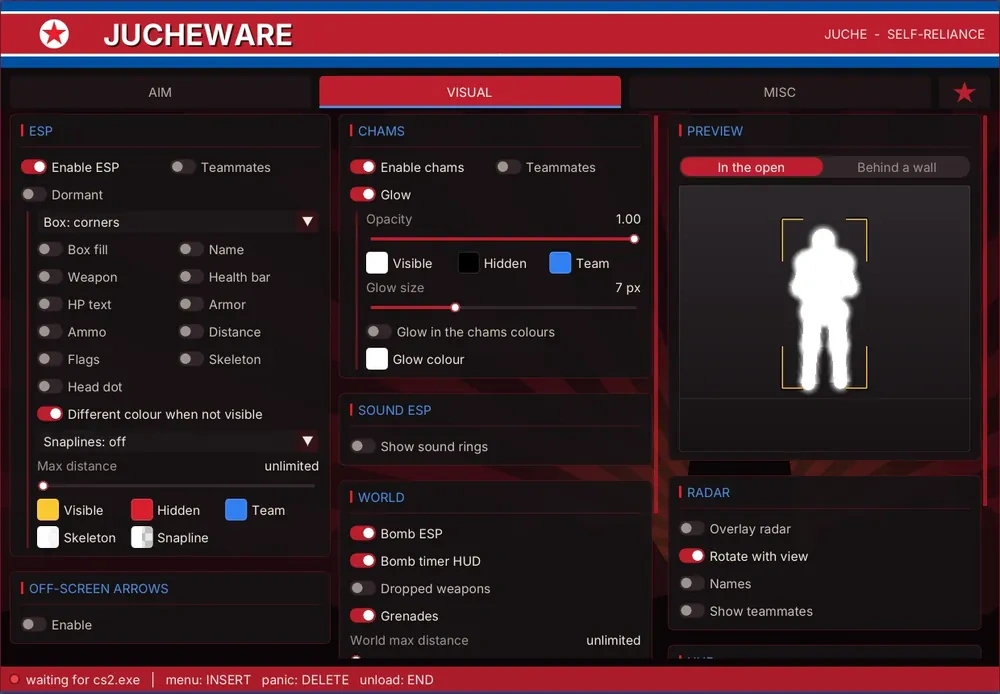
Choosing a CS2 external cheat involves more than comparing feature lists. Clear settings, straightforward activation, and accessible support all matter when deciding whether a product suits your needs.
Jucheware is an external application for Counter-Strike 2 with configurable aiming, recoil control, and weapon automation settings. This guide introduces the software and explains what to check before getting started.
What does “external” mean?
An external application runs as a separate process from the game. Jucheware uses a standalone hidden and randomized Windows executable with an in-game menu for configuring its features. Jucheware does not inject code into the game, lowering its footprint and detection.
Configurable aim and weapon settings
Jucheware includes settings for adjusting aiming behavior, selecting target areas, and controlling recoil. Jucheware has several options and settings for adjusting legit humanized aim ("Legitbot"), keeping the aimbot hidden from other players in the lobby. If you want a more extreme approach to aim, Jucheware has settings for adjusting blatant and powerful aiming ("Ragebot") so you stay undefeated in a lobby.
Configuration matters. A setting that works well at close range may behave differently against a distant or moving target. Weapon spread, movement and timing can still produce missed shots.
Getting started with Jucheware
Start at the official Jucheware website.
After receiving your license:
- Download the release executable and your license key that is provided after purchase.
- Start Counter-Strike 2 and launch Jucheware.
- Enter your license key when prompted.
- Open the menu and review the available settings.
- Test your configuration in an environment where you have permission to use the software.
You only have to input your license once on first startup.
License activation and updates
Jucheware checks license access through its server. An internet connection is required for activation and periodic authorization checks.
Jucheware automatically receives updates whenever CS2 updates.
If activation fails, check your connection, license expiry and device-binding status. Contact support through the official website if the issue continues.
Explore Jucheware
Visit Jucheware to find out more, and to purchase the software.
Published at Oct 30, 2026